 Wino Mail
Wino Mail 2.2.6 is now available in the Microsoft Store and through the sideload installer.
This release makes calendar navigation continuous and improves links, dark-mode emails, and contact categories. It also fixes archiving in Gmail, keeps Outlook accounts syncing when they contain mail from another mailbox, and closes a long list of issues you reported on GitHub. Thank you to everyone who took the time to report them.
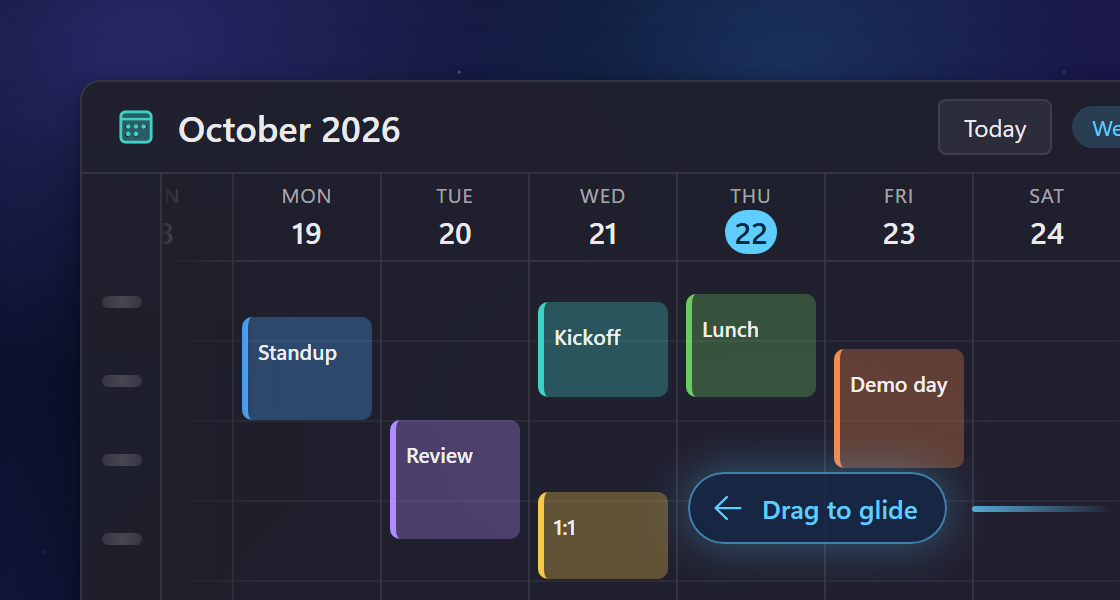
Move through your calendar without stopping
Drag the calendar with your mouse, pen, or finger, or scroll with the wheel, and it keeps moving in both directions. It works in every calendar view. Small drags follow your pointer smoothly, and Home takes you back to today (#963).
New and improved
- Hover over a link while reading an email to see its address at the bottom of the message. Links protected by Outlook show the original address (#1114).
- When you click a link in an email you are writing or in a signature, the link bubble now has an Open link button next to Remove link.
- Emails that declare dark mode support but stay mostly white now adapt to your dark theme.
- In Contacts, right-click Categories in the sidebar to create a new category, even if you have none yet.
Fixes
- Archiving a Gmail message now sticks, so it does not reappear in your Inbox after you restart Wino (#868).
- Outlook sync no longer stops on folders or messages that belong to another mailbox.
- Gmail sync retries downloads when Google temporarily slows requests, instead of stopping.
- Changes you make while an account needs you to sign in again are kept and sent after you sign in.
- An account that needs you to sign in stops retrying sync in the background until you fix it.
- In a linked inbox, recipients that are you now show which of your addresses received the message, such as
You <name@example.com>, instead of only "You" (#1149). - Screen readers such as NVDA can read the text of opened emails again (#1146).
- Subjects sent in older Cyrillic encodings now display correctly instead of as garbled characters (#1112).
- Emptying a Gmail Spam folder that is already empty no longer shows an error (#1111).
- Text color, font, and size options work again while writing an email (#1063).
- After a restart or sleep, Wino alerts you about new mail and shows the unread count on the taskbar without being opened first (#975).
- Adding an Outlook account no longer freezes Wino (#906).
- CalDAV calendars sync again instead of stopping with an error (#876).
Get the update
If you installed Wino from the Microsoft Store, the update arrives automatically. If you can't use the Store, install the stable sideload build with App Installer from WinoMail.appinstaller. It gets its updates from the Wino download feed and can be installed next to the Store version.
The full release notes are on GitHub. We are also on X now, so follow along there for release news and early looks at what's coming next.