 Wino Mail
 Download beta for Linux
Read, write, and organize your email, even when you’re offline.
Welcome to Wino Mail
Mail, Calendar, Contacts, and To Do. One native app, designed for Windows 11.
Mail, Calendar, Contacts, and To Do in one native app for Windows, Mac, and Linux.
Mail, Calendar, Contacts, and To Do in one app. Now in beta for Mac.
Mail, Calendar, Contacts, and To Do in one native GTK app. Now in beta for Linux.
Get it from Microsoft StoreWindows 10 and 11
Download beta for MacmacOS 14 or later
Download beta for LinuxBeta · Ubuntu, Debian, Arch, Fedora
iPhone, iPad, and Android apps are on the way.
Other download optionsDownload for Windows, Mac, or Linux
Microsoft StoreRecommended for most users. Windows 10 and 11.
Stable SideloadThe official release for PCs without Microsoft Store.
BetaPreview builds for developers and early testers. May contain bugs.
Download beta for MacmacOS 14 or later. Apple silicon and Intel.
Mac App StoreComing soon
Linux packagesBeta packages for Ubuntu, Debian, Arch, Omarchy, and Fedora.
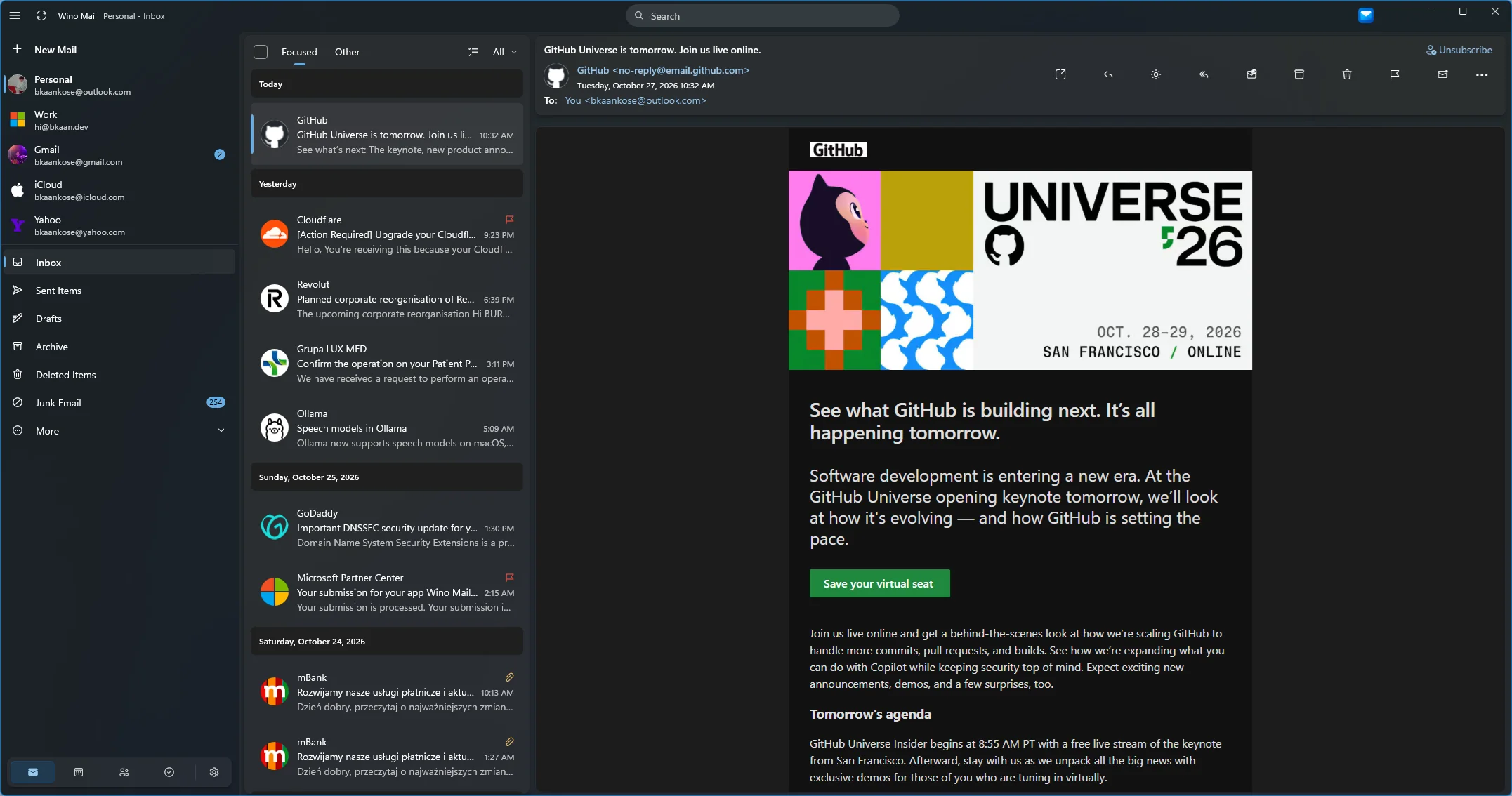
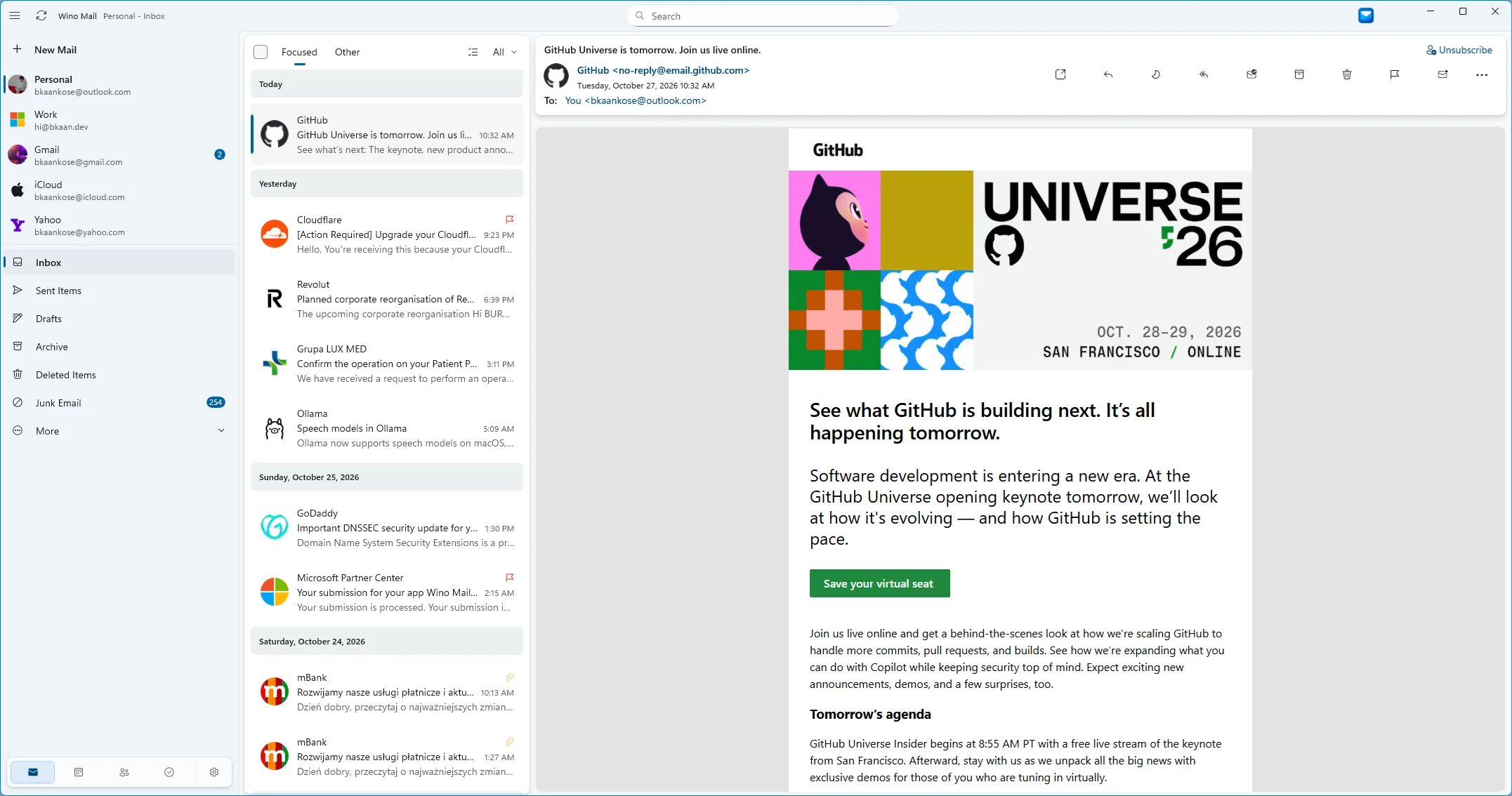
Key Features
Calendar
Plan your day and keep track of upcoming events.
Contacts
Keep contact details organized and find the people you need.
To Do
Organize your tasks and keep track of what needs to get done.
Native Windows App
Four app modes, built for Windows 11.
Made for Mac
The same four app modes, now in beta on macOS.
Native on Linux
A GTK 4 and libadwaita app, now in beta.
Customization
Tailor the app to your preferences with extensive customization options.
Security & Privacy
Your mail stays on your device by default. Optional Wino Intelligence features process only the information needed for features you choose to use.
Accessibility
Comprehensive accessibility features for a seamless user experience.
Open Source
Contribute to the project and make it even better.
What people say about Wino Mail
The best email clientThis is how the Outlook app should have been.
Best email client for WindowsHonestly, I was getting so frustrated with Microsoft's new Outlook - the ads, the sluggish performance, it just felt like using a website pretending to be an app. Then I stumbled across Wino Mail and it's been such a relief! Email client that actually feels like it belongs on Windows 11. It's clean, snappy, and ironically follows Microsoft's design language way better than their own software does. …
Best Email Client I've Ever UsedI've tried many email clients before, and this one is by far the best. The standout feature is its use of native WinUI, unlike other apps that rely on WebView or Electron, which tend to consume a lot of RAM.
Should be the default Mail App for Windows!This is simply the best mail application I've ever used. Beautiful, Native unlike that awful new Outlook for Windows app. Minimal resource usage and fast to use.
very goodan independent developer made a better app than the different gazillion email clients from a multibillion tech company
The spiritual successor to Windows MailExcellent manager for emails, contacts, calendar, etc. A worthy successor to the former Windows Mail.
A fantastic lightweight but complete email clientAs of Nov 2026 I'm running it connected to a gmail, office365 and stmp server with zero issues. Seems to be actively developed with actually useful updates, and responsive to feature requests. Just what I've been looking for - not as bloated as Outlook, but more fluent and snappy than Gmail / Web interfaces
Fantastic mail app!SO much better than Outlook; can't recommend this app enough. Thanks devs!
What Outlook's redesign should have beenIt looks modern, it's fast, lightweight, and works well. It's a native app, unlike what Microsoft did by turning the Windows email app into a web wrapper that wastes resources and drags. Congratulations to the developer for doing the job Microsoft should have done. Excellent app 👏
The basicsKeep it simple ! At the age of 78, I don't need to go through a number of different screens to get to my mail. You give me the " BASICS ".. THANK YOU !